

Automatic Image Occlusion Flashcards: Your Secret Study Weapon 📖📚
Shhhhh… there’s a secret study tool that can make you excel in your studies — keep on reading to find out what!

Sit back and imagine this: You're staring at a complex anatomy diagram full of text labels and you’re not sure how you’ll be able to memorize everything. Each text label is crucial, but memorizing all of them seems like a nearly impossible task. 😰
Flashcards have long been a popular tool amongst medical students because they help condense large amounts of information into bite-sized chunks that are perfect for quick review sessions and testing your own knowledge. 📖 However, traditional text flashcards can be limiting, especially when dealing with intricate diagrams with a seemingly countless number of text labels/terms.
Here’s where image occlusion comes into play. 💪👏 It’s a powerful flashcard tool that transforms visual information into active learning, as a result, making complex subjects like anatomy more manageable. 🚀
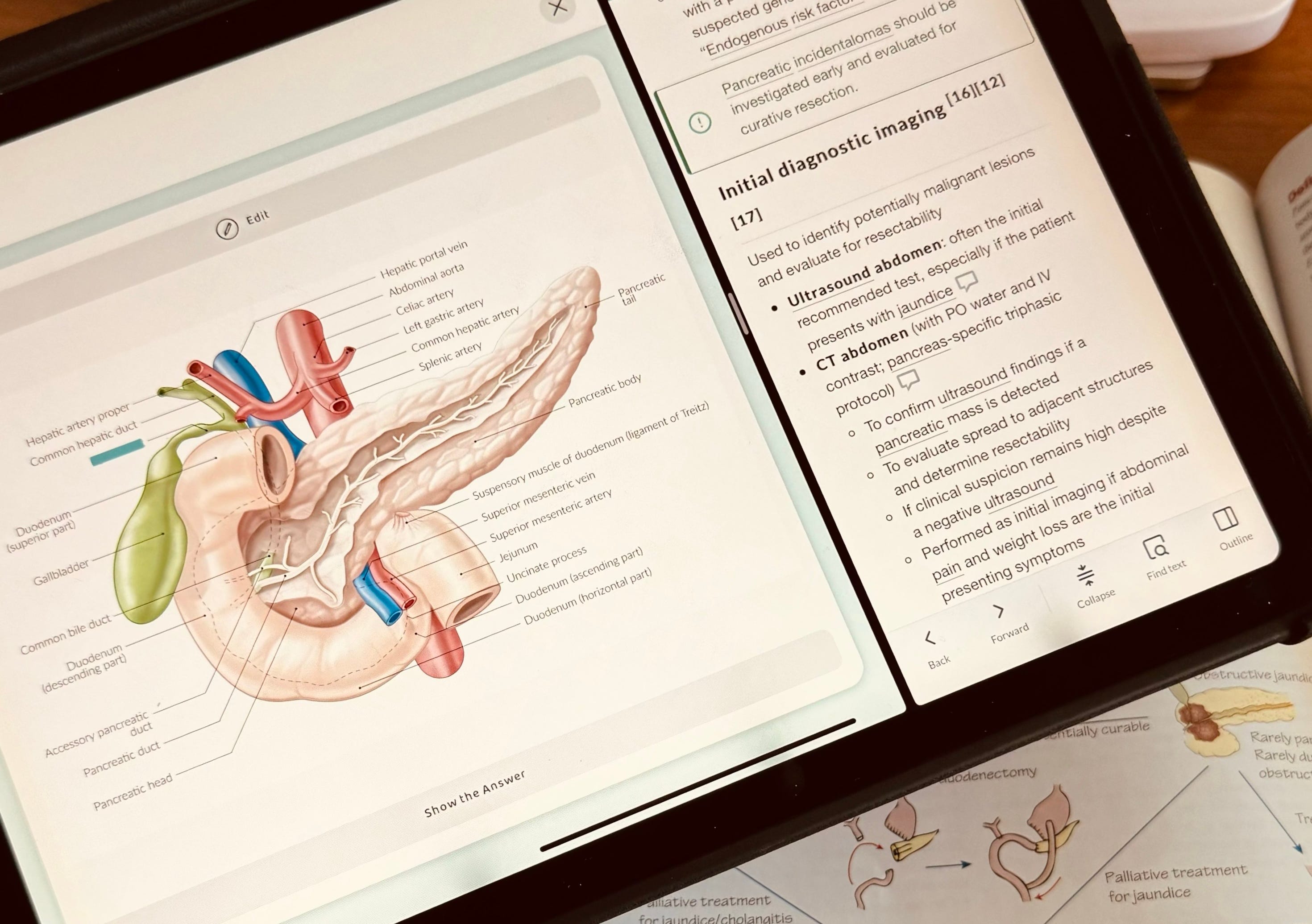
Image occlusion flashcards: what are they? 📚
Instead of hiding text within a paragraph, image occlusion allows you to hide selected portions of a diagram. This allows you to study a diagram much like a text paragraph, making you recall text labels from diagrams (such as “common hepatic duct” from a diagram of the pancreas and duodenum region!)
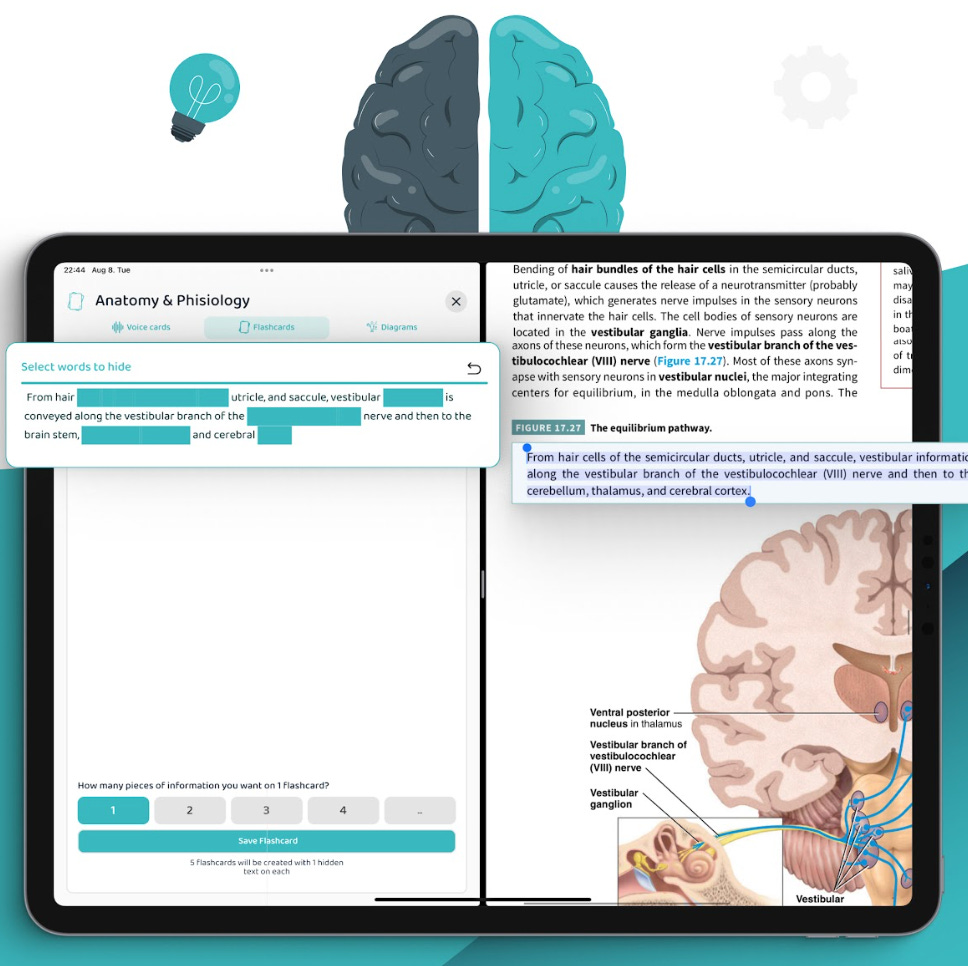
Image occlusion flashcards: why are they so effective?
Tailored for visual learners 👀
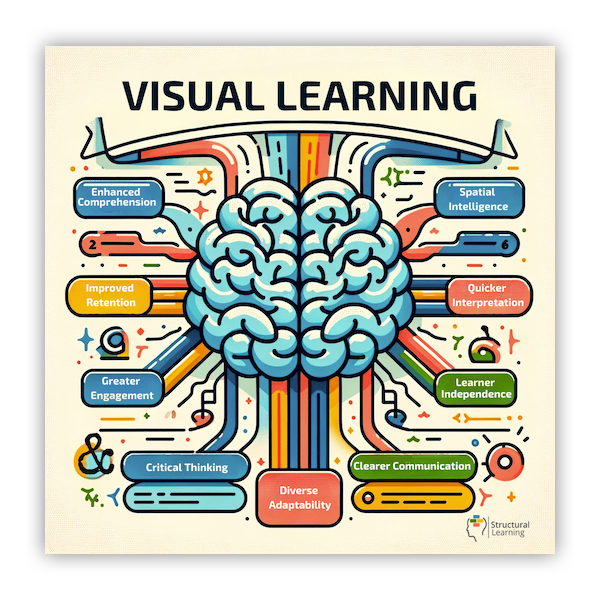
Research concludes that around 65% of the population learns best visually. Visual learning is especially crucial in medical school, where subjects like anatomy and biochemistry rely heavily on images/diagrams. Image occlusion flashcards help students better memorize complex diagrams. 👁️
Active Recall vs. Passive Review
Traditional flashcards often involve passively reviewing pre-written information. Image occlusion flips the script, prompting students to actively recall details from images. This active process strengthens memory and improves long-term retention. 🚀
Improve Focus and Attention
By selectively hiding parts of the image, you force yourself to concentrate on specific areas. This targeted focus leads to a deeper understanding and reduces the chance of feeling overwhelmed by complex visuals. 🔍
Do you use image occlusion flashcards? If so… what has been your experience? Let us know in the comments:
Paper to AI: How Image Occlusion Flashcards Have Evolved 🤖
Image occlusion flashcards have been around for ages, but creating them used to be a real pain. Back in the day, people used physical flashcards and covered parts of a diagram with cut-out pieces of paper — some of you might even have done this when you were younger! 🤓👀
Then came digital tools like Anki, where you can create them by manually selecting the words you want to hide and then drawing rectangles around them. Other flashcard apps like Quizlet currently do not offer image occlusion.
While it’s a great feature of Anki, it can be time-consuming, especially if you have a lot of images. Imagine you have hundreds of complex diagrams to turn into flashcards. Hiding specific words could take days!
This is what we wanted to solve in Voovo. Using AI, we developed an automatic system that lets you create image occlusion flashcards in seconds! Let’s see how. 👇
Voovo Takes Image Occlusion One Step Further with AI
Thanks to incorporating AI into the image occlusion feature, Voovo automates the tasks you'd otherwise have to do manually:
Automatic Text Recognition (OCR)
Simply upload your image, and using AI, the Voovo app automatically identifies and extracts text boxes, so you don’t have to type out labels.
Smart Selection Tools
Voovo allows you to easily select all the text boxes you want to study with a single click. Plus, you can control how much information is hidden on each flashcard for optimal learning.
Advanced Scanning
Is the image blurry or has a strange layout? No problem! Voovo can run different AI algorithms to detect the text accurately. Another bonus point is that you can always fine-tune the selection.
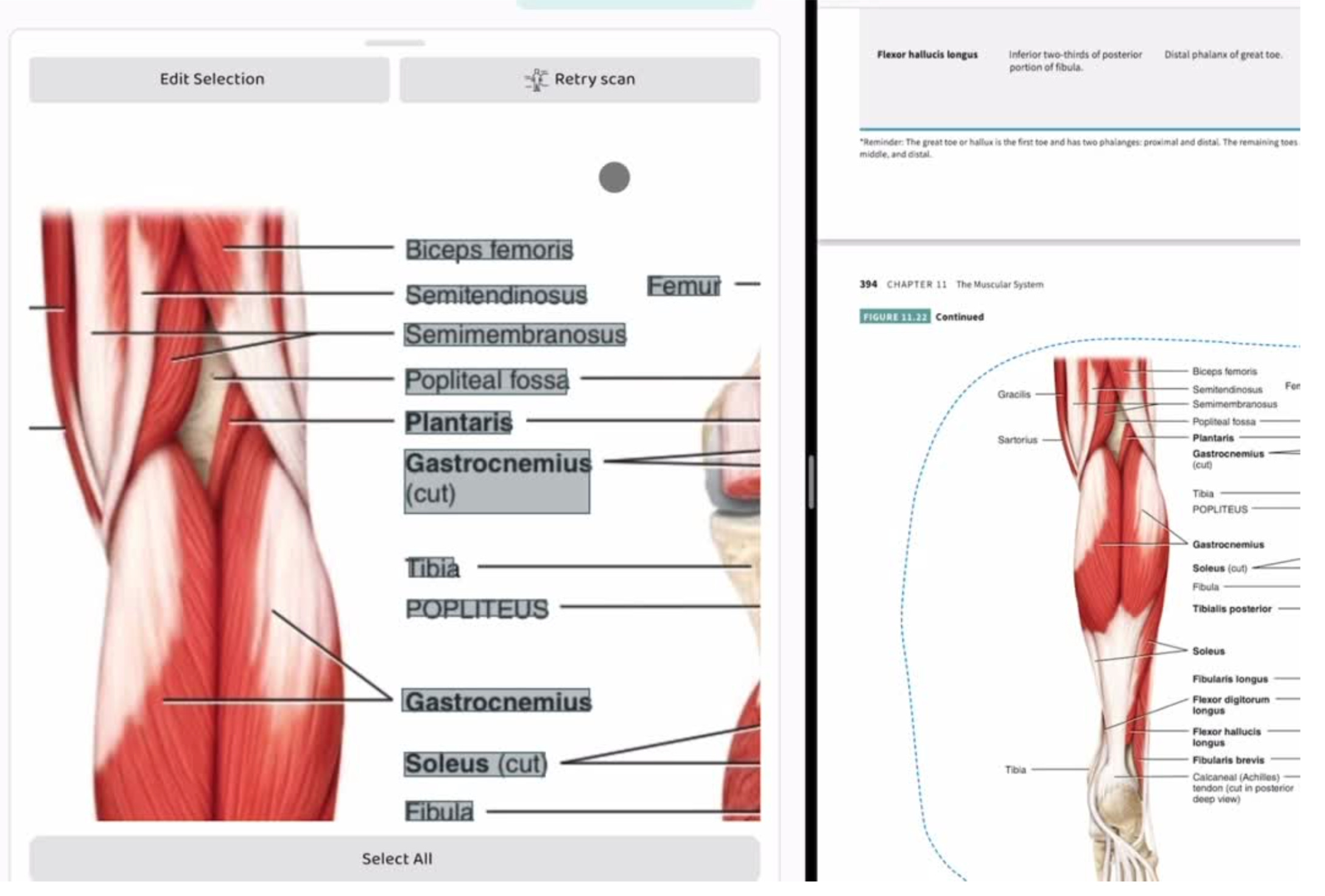
A Step-by-Step Guide one how to use Voovo’s Image Occlusion Feature
Upload Any Image You Want 🫀
There are many ways that you can do this:
Need to learn all the parts of the heart or the brain? Upload any anatomy diagram.
Studying a complex biochemical cycle? No problem, you can just add the image from your saved photos or camera roll.
Lots of diagrams from another app? You can also “drag and drop images” straight from your textbooks, note-taking apps, or PDFs. 🎉
Let Voovo Automatically Detect the Text 📝
Our advanced AI scans your image and automatically detects all the text elements - including labels, names, and other important details. If the initial scan isn't perfect, don't worry! Simply tap the "Retry Scan" button, and our system will try a different text recognition algorithm. 💪
Customize Your Flashcards 🧬
Once the texts/keywords are identified, you can choose which specific elements you want to turn into flashcards. Want to focus on just the labels of anatomical structures? Select them all with a single click. Control the level of difficulty by choosing how much information to hide on each flashcard. You can cover single terms, entire sections, or even combine elements for a more challenging review.
Hundreds of Personalized Flashcards — with One Click
Image occlusion flashcards are a game-changer for medical students and anyone preparing for complex exams that rely on visuals. With Voovo’s automatic image occlusion system, you can create hundreds of flashcards from your visual resources with just a few clicks, providing a personalized set of flashcards to help you prepare for even the most difficult subjects!
You can download Voovo from the App Store or Google Play.
Subscribe to this blog if you want weekly study tips and to join our little study community!
Good luck & have a great study session — you've got this! 💪
The Voovo team